Store Settings
Certain settings on the Stores window (Setup > Point of Sale > Stores) in Counterpoint affect the functionality of CPMobile.
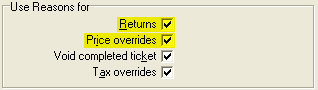
On the Tickets-1 tab, the following Use Reasons for settings apply to CPMobile:
-
Returns - If this check box is selected, users must select a reason code for each return line in CPMobile Point of Sale.
-
Price overrides - If this check box is selected, users must select a reason code each time they perform a price override in Point of Sale.
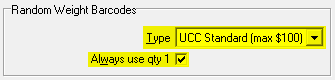
Also on the Tickets-1 tab, the following Random Weight Barcodes settings apply to CPMobile:
-
Type - This setting determines which format of random-weight barcode your store is using, either UCC Standard or Extended.
-
Always use qty 1 - If this check box is selected, whenever a random-weight barcode is scanned, the quantity for the line item is set to 1 and the extended price embedded in the barcode is used as the unit price for the item.
 Use this setting if you do not track detailed quantities for items sold with random-weight barcodes (i.e, if you track quantities by the package, rather than by weight.
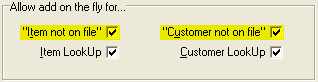
On the Tickets-3 tab, the following Allow add on the fly for... settings apply to CPMobile:
-
"Item not on file" - If this check box is selected, CPMobile users can add new items "on the fly" if a scanned item is not found in Point of Sale.
-
"Customer not on file" - If this check box is selected, CPMobile users can add new customer records in Point of Sale.
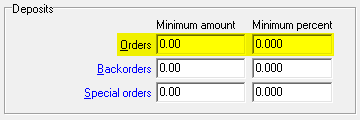
On the Orders tab, the following settings apply to CPMobile:
-
Use orders - If this check box is selected, users who are authorized to enter order lines in Counterpoint can create Order tickets in CPMobile.
-
Minimum amount/Minimum percent - These settings determine the minimum initial deposit for Order tickets in CPMobile, either as a flat amount or as a percentage of the order total.
CPMobile ignores all other store settings.